How to customize the notification sound?
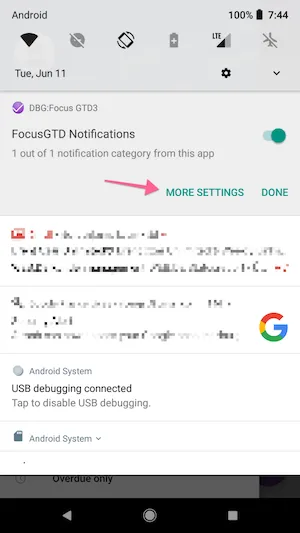
On newer android versions you can change the notification sound for each app by long pressing on the notification, and navigating to “More Settings”
-
Long press on the notification and select “More settings”
-
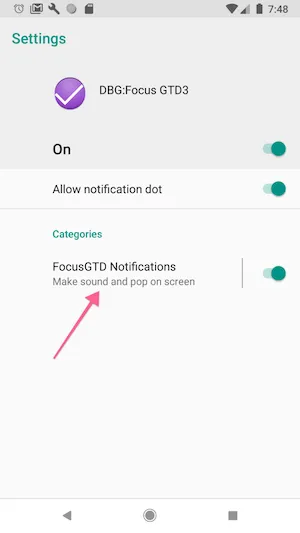
Choose “FocusGTD notifications”
-
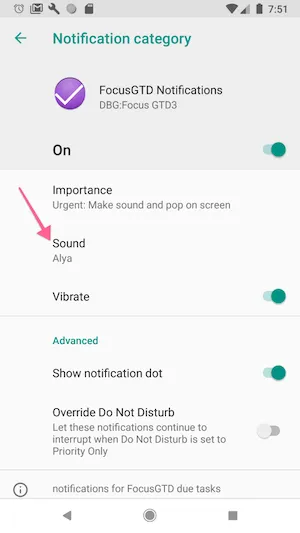
Choose “Sounds”
-
Pick the sound you like